 voxolith
world
A whole generated valley: gen-terrain ground and river, a village laid out on levelled pads, a forest, a lamp to carry, day and night, and weather.
Open the live page · Source · Layout
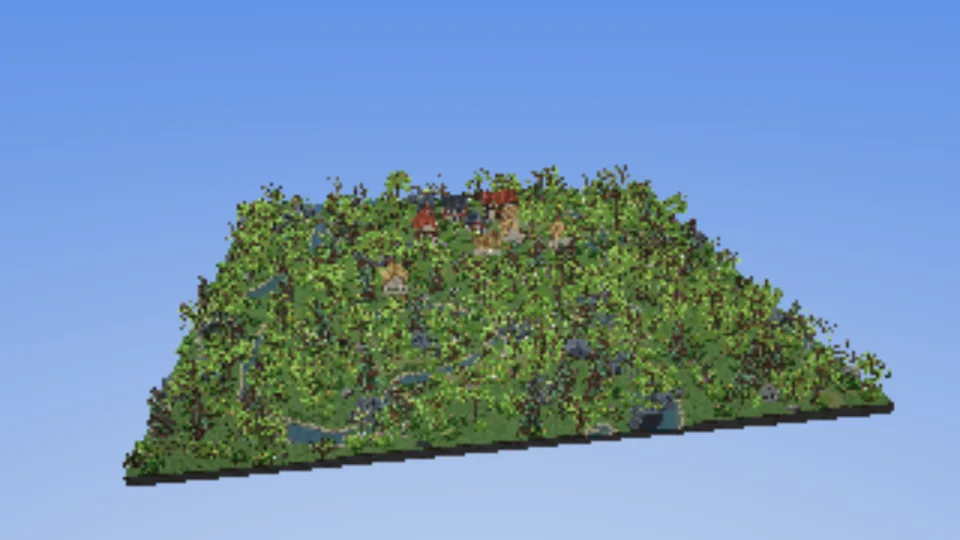
A valley 1280 voxels (128 m) square at the default scale, all of it generated from one seed: the ground and a meandering river with animated water, a village of cottages, farmhouses and brick houses joined by footpaths, and a forest of oaks, birches and spruces that thins out towards the village, with bushes, grass and rocks. A lamp stands in a glade; drag it around to light the trunks and watch the shadows move. N runs day into night, W cycles the weather.
What it shows
- Terrain as a region, not a model.
generateTerrainreturns an editable height map; the layout levels a pad under every house by editingterrain.heightsbefore anything is built, and overrides the top voxel of paths and yards throughfillBrick'stopcallback. - Settlement layout as app code.
layout.tspicks the village and glade sites, turns each house so its door faces the village centre, joins the doors with a minimum spanning tree of wandering paths, and decides which plant or rock grows where. It is shared with the valley, which runs the same layout at five or ten times the resolution. - Generators on workers.
makeGeneratorPoolruns every tree, bush, rock and house generator off the main thread;serveGeneratorsingen.worker.tscaches the models in IndexedDB in production builds, so a second visit loads instead of generating. - Variants and scatter.
makeVariantPoolhands out models and orientations;scatterRegiongives the same points in the same order whichever box asks, so chunks agree at their edges. - Streaming.
makeChunkedWorldbuilds 64-voxel chunks around the view and keeps following it as you pan, withPaletteAllocatorhanding out slots as species first appear. - Terrain and ground on workers. The height map is sampled in bands on workers while the page
sets up, and the chunks' ground is filled on up to six more
(ground on workers) from the levelled
terrain (
terrainInit) and the paths and yards as data (topOverrideData). Each chunk'sgeneratethen only blits the models into it, on the main thread. That took the 1.5 s freeze of sampling the terrain on the main thread out of the load; the warm first frame is 2.3 s (measured). - Point lights. The lamp is two lights, one shadowed and one soft unshadowed spill, set with
renderer.setLights; grabbing it claims the pointer from the orbit camera withinput.claim. - Time of day and weather.
timeOfDay,makeAtmosphereTransitionandatmosphereFrame; the page's own rules decide how wet the ground gets and how snow settles and melts. - Adaptive resolution.
makePerfwithretryAfterMs: Infinityandperf.reprobe()on camera moves, since the water keeps the page rendering while the view is still. - Pipelines compiled while the models generate. The page creates its renderer with
deferPipelinesand runspreparealongside the generator workers, so the first frame does not stall on a compile. - Load progress. One load tracker collects the renderer, the generator workers, the streamed ground and the page's own steps; the loading screen shows the steps the page lists while it loads, and
?perfalso logs the load timeline to the console.
The interesting part
Each chunk's ground is filled on the workers, then its generate writes every house and plant
that reaches into it:
// The ground's bricks from the levelled terrain and the paths and yards as data; ?workers=0 fills here.
const fill = useWorkers && typeof Worker !== "undefined"
  ? groundFill({ terrain: terrainInit(terrain), top: topOverrideData(terrain, topOverride), base: terrainBase })
  : undefined;
const world = makeChunkedWorld({
  target: renderer,
  size: SIZE,
  chunk: CHUNK,
  seed,
  load,
  fill,
  boxes: ({ box }) => [{ ...box, y1: maxY }],
  generate(ctx) {
    if (!fill) ctx.edit({ ...ctx.box, y1: maxY }, (cells, ox, oy, oz) => terrain.fillBrick(cells, ox, oy, oz, terrainBase, topOverride));

    for (const hs of houses) {
      if (hs.x1 < ctx.box.x0 || hs.x0 > ctx.box.x1 || hs.z1 < ctx.box.z0 || hs.z0 > ctx.box.z1) continue;
      ctx.blit(hs.entity.model, { x: hs.x, y: hs.y, z: hs.z }, allocate(hs.entity, hs.key), hs.orientation);
      // ...
    }

    valley.scatter(ctx.box.x0, ctx.box.z0, ctx.box.x1, ctx.box.z1, (pt) => {
      const v = pt.variant;
      ctx.blit(v.entity.model, { x: pt.x, y: heightAt(pt.x, pt.z) + 1, z: pt.z }, allocate(v.entity, pt.key), v.orientation);
      // ...
    });
  },
});
ctx.blit clips each model to the chunk, so a tree standing on a chunk edge is written half by
each chunk, and the result does not depend on the order chunks are built in. With fill, a
chunk's generate runs once its bricks are in, so the models land on the ground the workers
wrote. groundFill is the examples' own wrapper of makeChunkFillPool, in
shared/ground.ts.
The frame folds time of day, weather and the page's ground state into one call:
const sky = weather.update(dt);
stepGround(dt);
const atm = atmosphereFrame(timeOfDay(phase), { ...sky, wetness, cover: snowCover });
renderer.render({ ...frame(), ...atm, time: still ? 0 : now / 1000 });
Controls
| input | does |
|---|---|
| drag, one finger | turn |
| right-drag, two fingers | pan |
| wheel, pinch | zoom |
| drag the lamp's glow | carry the lamp |
| double-click, double-tap | drop the lamp there |
| N, the Night/Day button | run to night or back to day |
| W, the weather menu | next weather |
URL options
| option | default | effect |
|---|---|---|
?scale= | 4 | the valley is scale × scale tiles of 320 voxels (1 to 8) |
?seed= | voxolith | any string; a different valley |
?season= | summer | spring, summer, autumn or winter foliage |
?variants= | 10 | models generated per species |
?workers=0 | generate the models and fill the ground on the main thread instead of workers | |
?radius= | 1.5 × width | streamed radius around the view, in voxels |
?time=night | start at midnight, close to the lamp | |
?weather= | clear | clear, cloudy, rain, storm, snow, fog; also any other ATMOSPHERES name |
?still | freeze the water and render on demand | |
?selftest=1, 2, 3 | voxel-lookup debug bands |
Plus the common ones.
See also Worlds and storage, Streaming, Lighting and Atmosphere and weather.
minecraft-region
Drop a Minecraft .mca region file on the page, crop and downsample it with buildMinecraftRegion, and fly through it with keyboard, mouse, gamepad or touch.
valley
The world valley at 20, 50 or 100 voxels per metre: coarse models first and one swap to the refined ones, drawn as instances, ground streamed in chunks filled on workers, rats at their real size and a lighter phone profile.